Skip to content
← Work Architas

CMS component system

From investigation to delivery:
building a scalable component library

Translating a dense content ecosystem into a focused, composable system — so teams can publish faster, stay consistent, and grow without redesigning every page.

6Core components
3Teams aligned
FasterPublishing cadence
Role
Senior Product Designer
Company
Architas
Focus
Experience strategy & content systems
Read the case study

The business had a content problem disguised as a design problem. Every campaign needed a custom layout. Publishing anything took a week. I was brought in to design the adviser platform — but fixing the platform without fixing the publishing infrastructure would have collapsed inside six months. I solved both.

01

Speed

Non-technical teams publish without raising a ticket or waiting for a developer.

02

Consistency

Same patterns across every page — no more one-off layouts that break on the next update.

03

Scalability

New markets and campaigns built from the same component set — no redesign required.

04

Clarity

Editors know what they can change. Developers know what stays locked. No ambiguity.

Four pain points
blocking everything else

Before the redesign, even routine content updates took days. These four blockers made it impossible to run an agile marketing operation on a regulated platform.

Slow CMS

Small updates required developer time. A content change that should take minutes took days.

No user data

No visibility into how advisers actually used the platform — decisions were based on assumptions.

Manual events

Every event required custom emails and landing pages built from scratch — no templates, no reuse.

No visibility

Content existed in silos. Teams couldn't see what other regions had built or reuse what already worked.
I audited from both ends at once — how advisers used the platform, and how editors maintained it. The hypothesis was that both groups were working around the same structural problems. It was right: the navigation that confused advisers was the same architecture that forced editors to build one-off templates every time a page didn't fit.

Phase 01

Template & content audit

Mapped every existing page template and content module — separating patterns that repeated from the one-offs that were creating maintenance debt.

Output

12 recurring structures · 30+ one-offs flagged for consolidation

Phase 02

Editor workflow review

Shadowed editors through live publishing flows — documenting friction, workarounds, and the undocumented rules they'd built up over time just to get content live.

Output

8 pain points · 4 workaround patterns · 3 high-risk unknowns

Phase 03

Stakeholder alignment

Ran sessions with marketing, editorial, and engineering to agree on what the component system had to do — before any design decisions were made.

Output

Agreed scope · Editorial guardrails · Prioritised build backlog

Eight stakeholder groups across product, engineering, content, legal, and regional teams — each with different definitions of success. The design had to satisfy all of them without becoming a compromise.

Product Management

1 Product Owner

Scope, priorities, stakeholder sign-off

Engineering

Frontend + Backend

Component build, CMS integration, feasibility

Content & Editorial

2 content managers

Workflow testing, component rules, publishing QA

Senior Stakeholders

Marketing + Management

Vision alignment, research sign-off, system approval

Financial Advisers

End users (B2B)

Usability testing, tree testing, navigation validation

Architecture

Solutions architect

CMS selection, multi-market system design

Legal & Compliance

Legal team

Mandatory fields, content guardrails, regulatory copy

Regional Teams

3+ markets

Local requirements, variant validation, rollout sign-off

The two users the design had to serve simultaneously

Content Editor

Internal publishing team

Need

Predictable blocks, clear field labels, and confidence that the preview matches what goes live.

Pain

Too many layout decisions. Inconsistent component behaviour. Constant workarounds to get pages to look right.

Financial Adviser

End user · B2B

Need

Find fund information, market commentary, and documents quickly — without having to relearn the navigation on every visit.

Pain

Inconsistent navigation structure. No clear hierarchy between content types. Couldn't tell where to look for what.

  • Publishing was slowed by repeat decisions. Editors had to re-think hierarchy and layout each time, instead of composing with known blocks.
  • Consistency broke at template boundaries. Similar content looked and behaved differently depending on where it lived.
  • Unclear rules reduced confidence. Without component constraints, teams relied on workarounds.
  • "What can I build?" wasn't obvious. The system needed visible options and examples to guide creation.

What we learned

Four insights that
shaped the north star

Each finding pointed to the same underlying need: a system with clear options and safe constraints — so editors could move fast without breaking consistency.

Publishing slowed by repeat decisions

Editors re-thought hierarchy and layout every time, instead of composing with known, trusted blocks.

Need Pre-defined, composable blocks that remove layout decisions from the publishing flow.

Consistency broke at template boundaries

Similar content looked and behaved differently depending on which page template it lived on.

Need Shared component rules that travel with the block, not the template — enforced at system level.

Unclear rules reduced confidence

Without defined constraints, teams defaulted to workarounds — creating fragmentation and reducing trust in what would go live.

Need Explicit guardrails: what editors can change, what stays locked, and what the system prevents.

"What can I build?" wasn't obvious

The system offered no visible options or examples — editors had to guess what was possible, leading to missed patterns and rework.

Need Documented components with named variants and examples — recognisable without memorising rules.

North star

Composable pages with guardrails — so content stays consistent while still being flexible enough for editorial needs.

I built each component around a content failure I'd observed in the audit — not around a theoretical page type. If I'd never seen an editor work around it, it didn't get a component. That constraint kept the system from becoming a theoretical framework and made it something the team could actually use from day one.

Design principles

  • Composable by default: pages built from blocks, not one-off layouts.
  • Flexible with guardrails: editors can customise content, not structure.
  • Defined states: empty, error, and loading states considered from the start.
  • Recognition over recall: named variants and documentation make options visible without memorising rules.
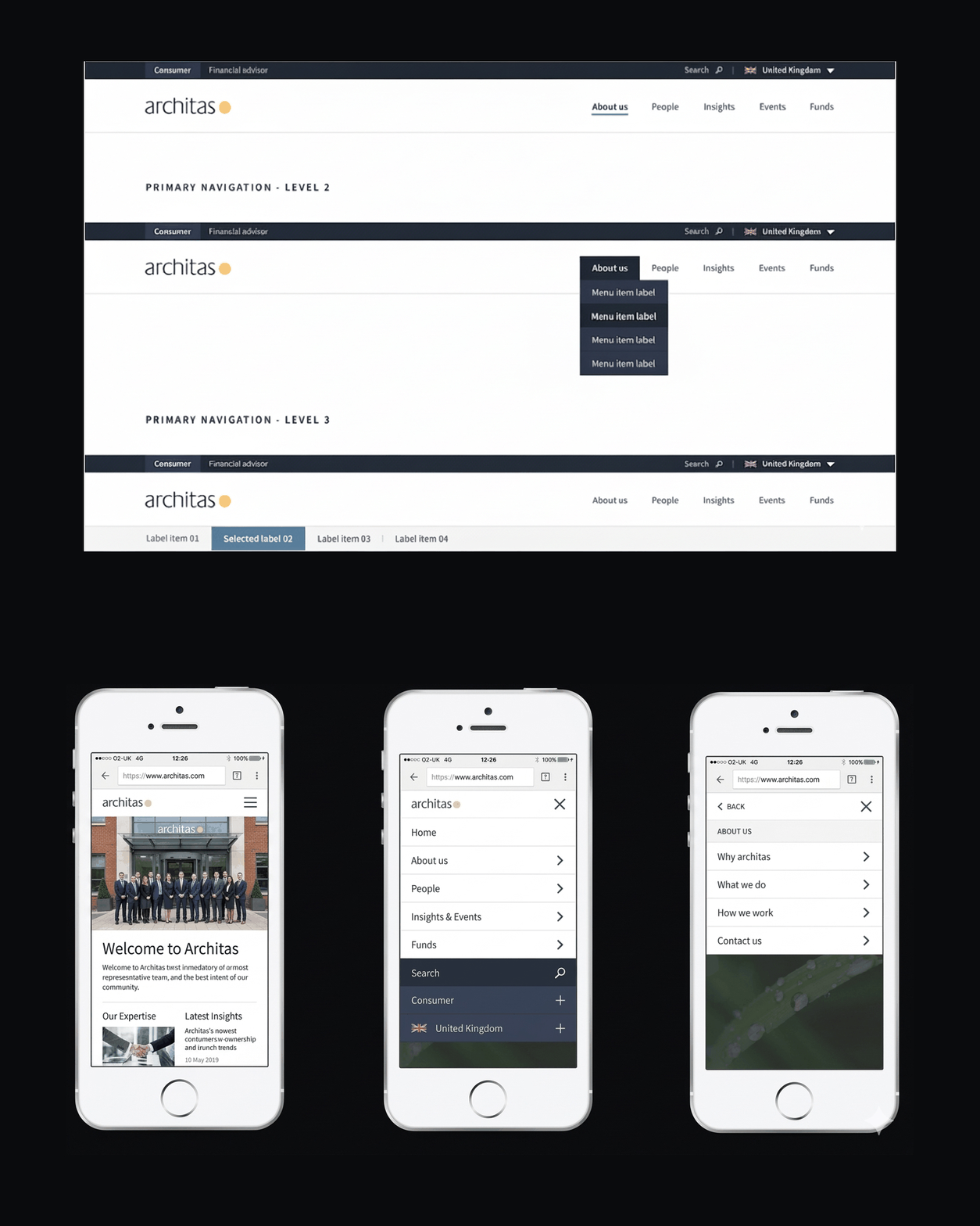
Navigation structure — consistent global and section navigation
01 — Navigation & structure

A consistent system users don't have to learn twice

Global navigation, section headers, and breadcrumbs follow the same structural logic across every page. Advisers navigating from a fund article to a document download to a CTA block should never need to reorient themselves.

Editorial rule: Navigation labels are locked — editors can add sections but cannot rename primary nav items without a design review. Consistency here directly affects adviser confidence in the platform.

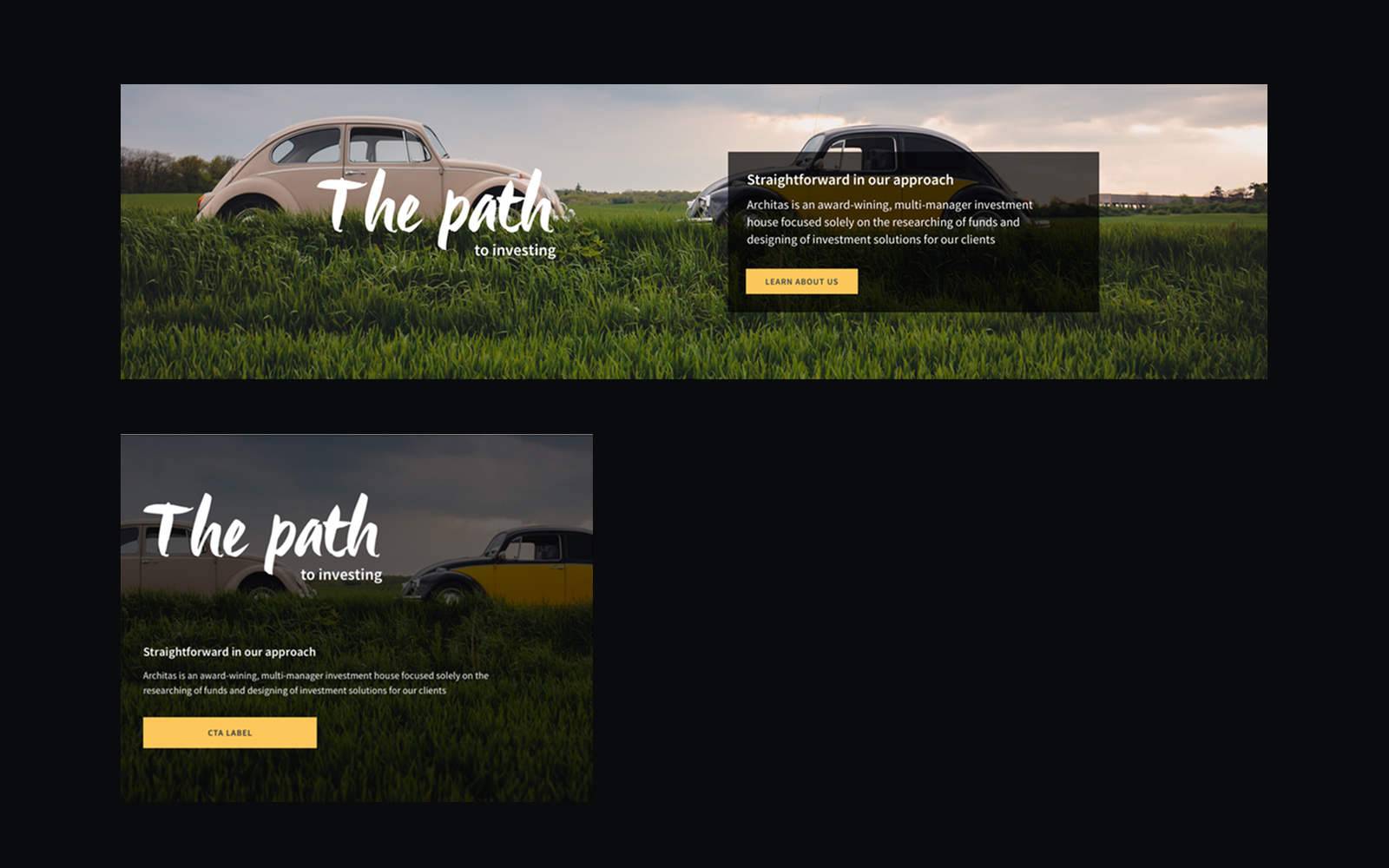
Page hero module — flexible header with variants and CTA behaviour
02 — Page hero module

One component, three valid configurations

The hero module covers the three real-world cases: image-led editorial pages, copy-led insight pages, and utility pages that need minimal decoration. Each variant has defined field rules and CTA behaviour so editors can't break the layout.

Design decision: Early versions had five hero variants. Testing with content editors showed they couldn't reliably distinguish when to use which. Consolidating to three — with clear labels — eliminated the most common editorial error.

Mega tabs — complex content broken into tabbed sections
03 — Mega tabs

Breaking dense content into navigable chunks

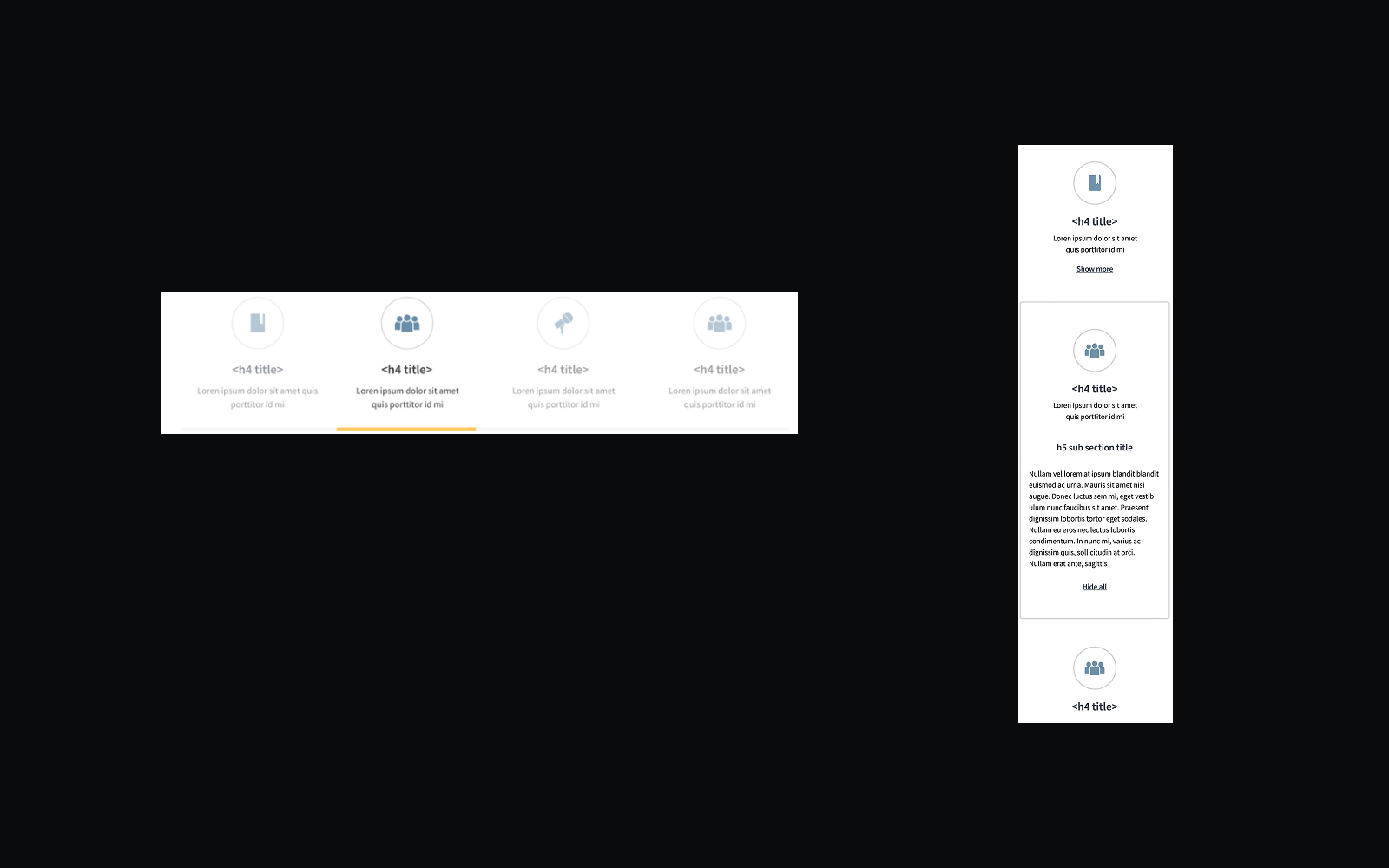
Advisers often need to cross-reference fund data — switching between performance, charges, and documents without losing their place. Mega tabs give each content type its own clearly labelled surface while keeping the page context intact.

Constraint navigated: The client wanted all content on a single long page. Usability testing showed advisers lost orientation on scroll-heavy pages. Tabbed structure tested significantly better for orientation and task completion.

CTA blocks — configurable call-to-action layouts
04 — CTA blocks

Conversion without visual noise

CTA blocks cover the four real use cases: single primary action, primary + secondary, with supporting copy, and within a grid of peer options. Constrained layouts mean editors can't produce the misaligned or typographically broken CTAs that plagued the previous system.

Editorial guardrail: CTA label length is capped at 40 characters with a CMS field validator. This prevented the broken-wrap CTAs that appeared on 30% of pages in the legacy system.

Document list — structured module for downloads and resources
05 — Document list

Resources that advisers can actually find and trust

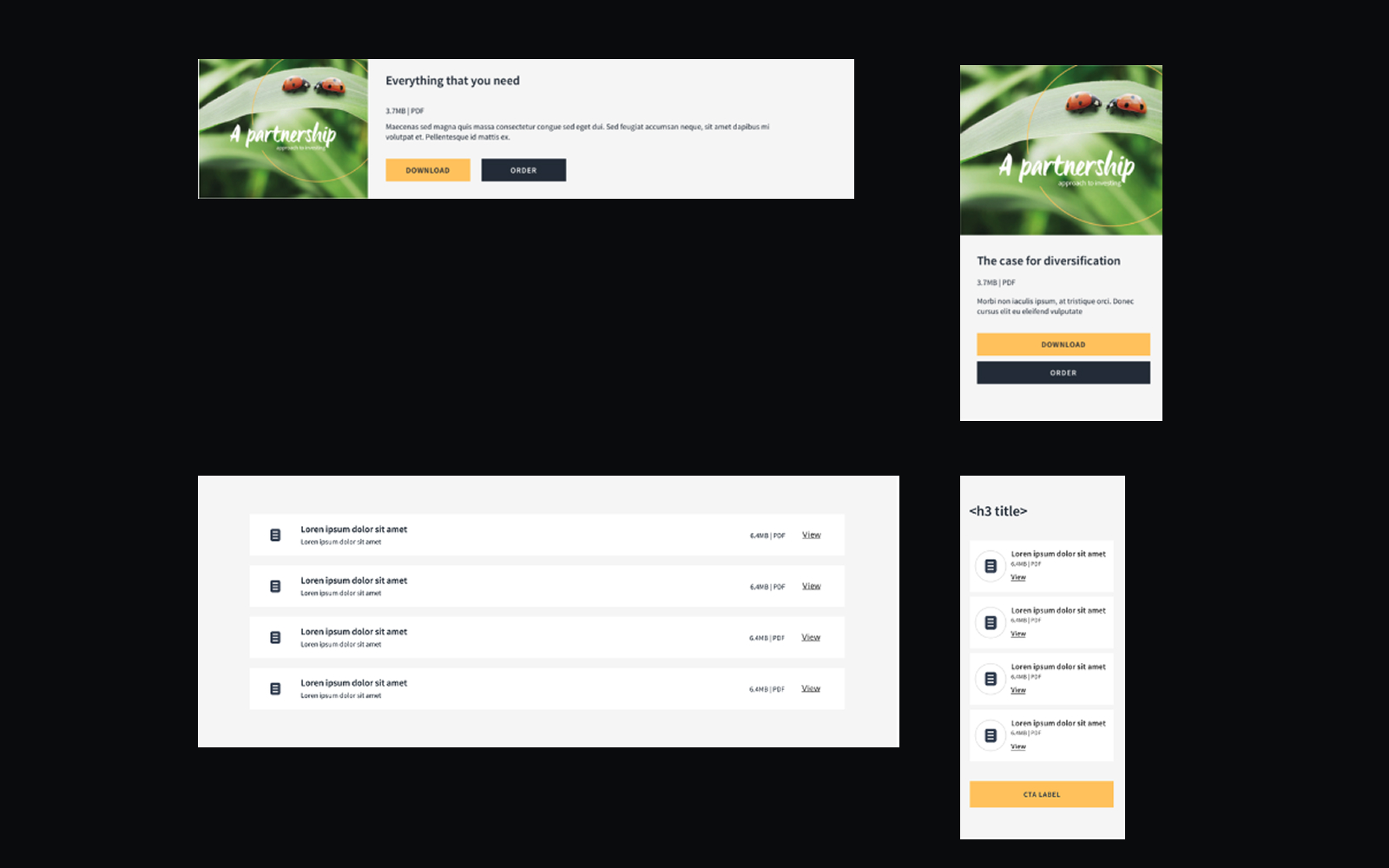
The document list handles single downloads, curated lists, and mixed resource sets — all with the same visual structure and defined metadata fields. Advisers know exactly what they're downloading before they click.

Research finding: Advisers cited missing publication dates and unclear document types as reasons for not trusting downloads. Both are now required fields — the CMS won't publish a document card without them.

News block — scannable content card for insight articles
06 — News block

Insight content that scans, not just reads

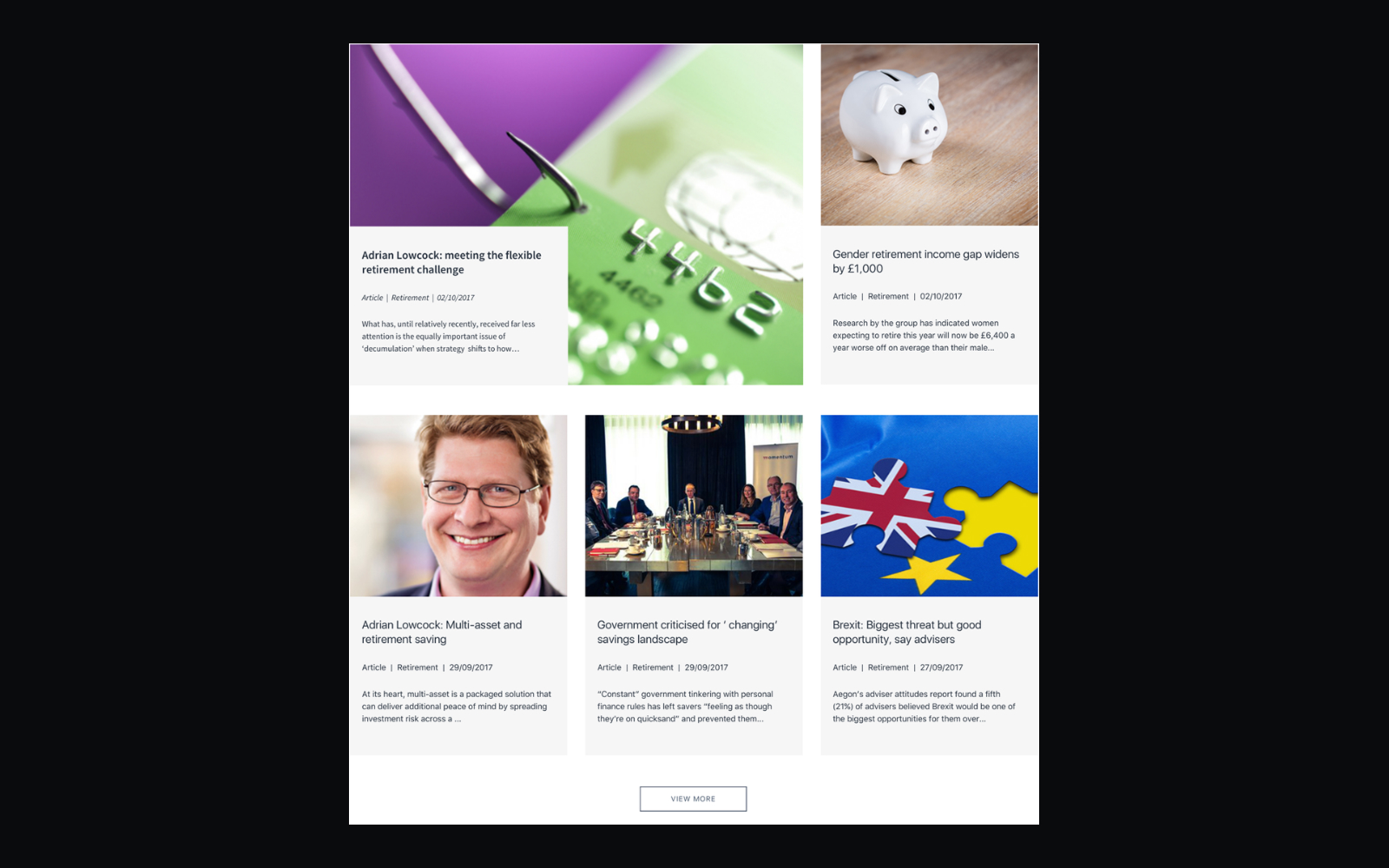
The news block is the workhorse of the insight hub — used for market commentary, fund updates, and editorial pieces. Card hierarchy (category → headline → date → summary) was tested with advisers to confirm scanning order matched how they evaluated whether to click.

Consistency principle: The news block and document list share the same card hierarchy intentionally. Advisers only need to learn the pattern once — it works whether the content is an article or a PDF.

The product worked. But the outcome that changed how the team operated was publishing independence — getting to a state where content teams no longer raised a ticket for every new page. That happened within weeks of launch.

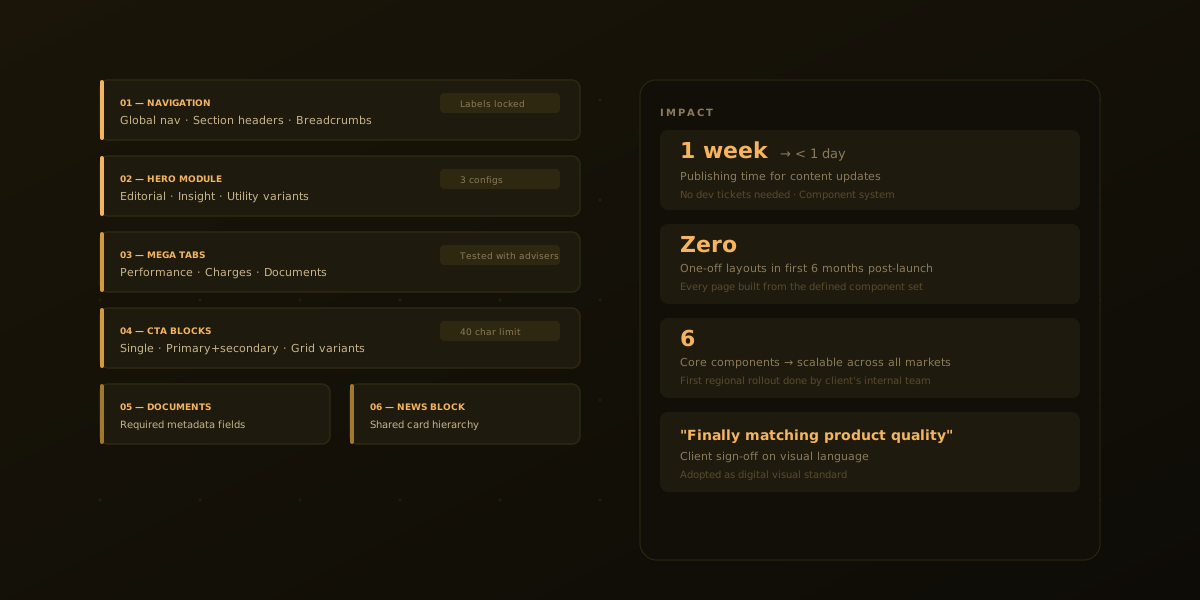
1 week → < 1 day

Time to publish a page update

0

One-off layouts shipped in the first six months

1st

Regional rollout completed with no design involvement

Adviser experience

Advisers completed key tasks without support — first time on the platform

Usability testing showed task completion without prompting across all three core journeys: finding a fund, reading an insight, and locating market commentary.

Publishing speed

Routine updates no longer needed a developer

The component system removed engineering from the content loop. Marketing and editorial published new pages and campaigns on their own.

Consistency

Every page assembled from the defined set

One-off layouts had been the norm. The component library and editorial guardrails eliminated them entirely.

Market scaling

First regional adaptation handled by the client

The system was built for market variants. The first rollout was completed entirely by the client's internal team — a requirement set from the outset.

  • Design for real workflows, not page views. Advisers think in tasks and conversations, not URLs — experiences should reflect how they actually work across tools and providers.
  • Turn events into digital assets. Treat every live event as a source of ongoing articles, tools, and artefacts that extend its value long after it's finished.
  • Brand story and UX are inseparable. Without a clear narrative about who you are, information architecture and content will always feel fragmented.
  • Research is a powerful alignment tool. Bringing stakeholders around a shared view of users and journeys can unlock momentum far beyond a single project.